Get started
Your first test
Take one idea from a plain question to a recorded Decision, with SwiftCNS doing the drafting and you making every call.
Before you start
- SwiftCNS installed and your AI tool connected.
- An idea you're working on that would cost real time or money if it's wrong.
- SwiftCNS open in the browser beside your AI tool. You'll watch each step land there.
- Any plan. Free is enough to take one idea to a decision (Plans and usage).
Steps
Describe the idea
Ask in your AI tool Use SwiftCNS to evaluate the riskiest idea we've been working on. Tell me which idea you picked and why, then show me what it rests on.
Your AI tool picks the idea from what it knows about your work. If it picks the wrong one, describe yours in two or three sentences: what you want to do, for whom, and the numbers you have. The running example started like this:
Use SwiftCNS to test this: we want to launch a $79/month Team plan. About 50 new trial teams a month, and a third of them try to invite a teammate. We want to know whether teams will pay for sharing before we spend on billing.
SwiftCNS replies in about half a minute with the assumptions the idea rests on, each scored for importance and evidence.
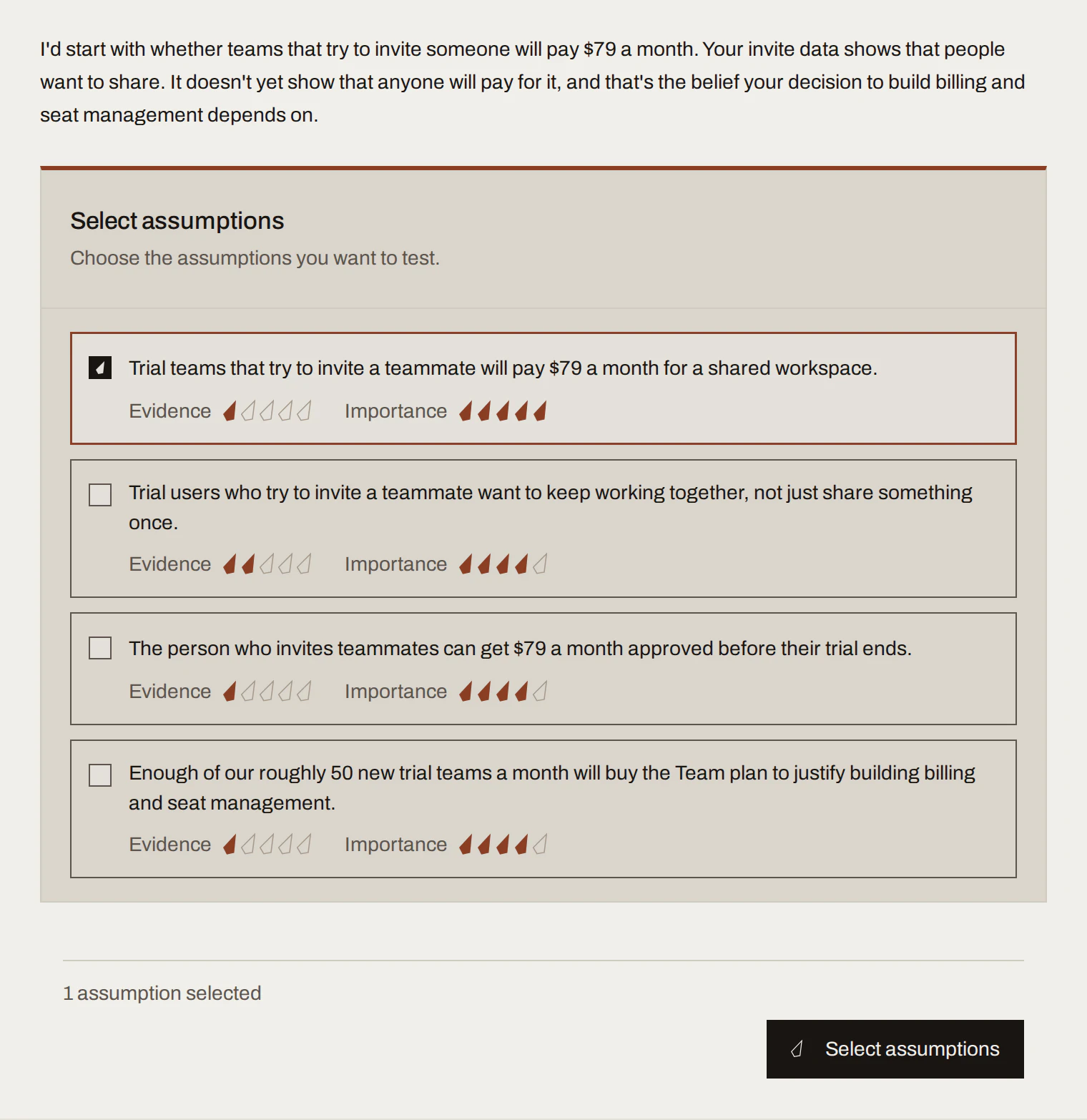
Sample data Choose what to test
Pick the riskiest assumption: high importance, low evidence. SwiftCNS turns it into a hypothesis with provisional success criteria, then proposes experiment designs scored for setup, run time, cost and data reliability. Choose one. Tell your AI tool which, or click it in the app.
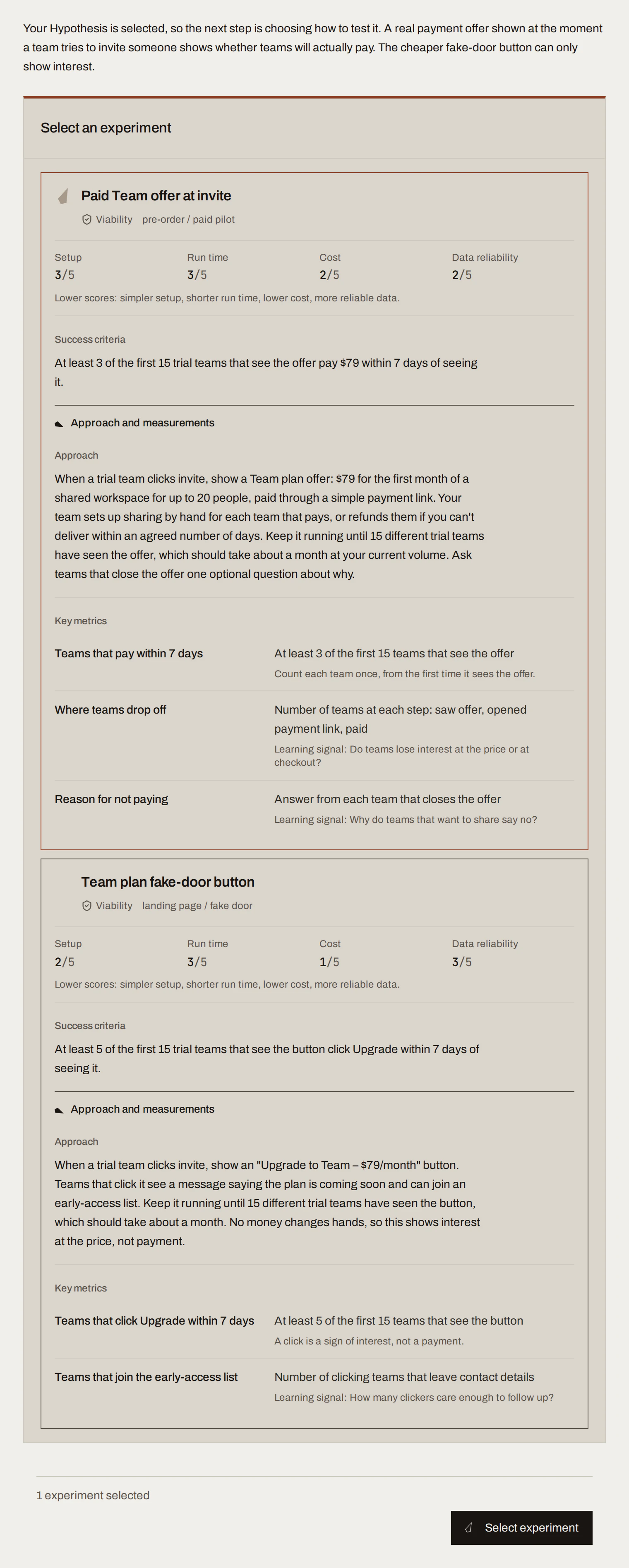
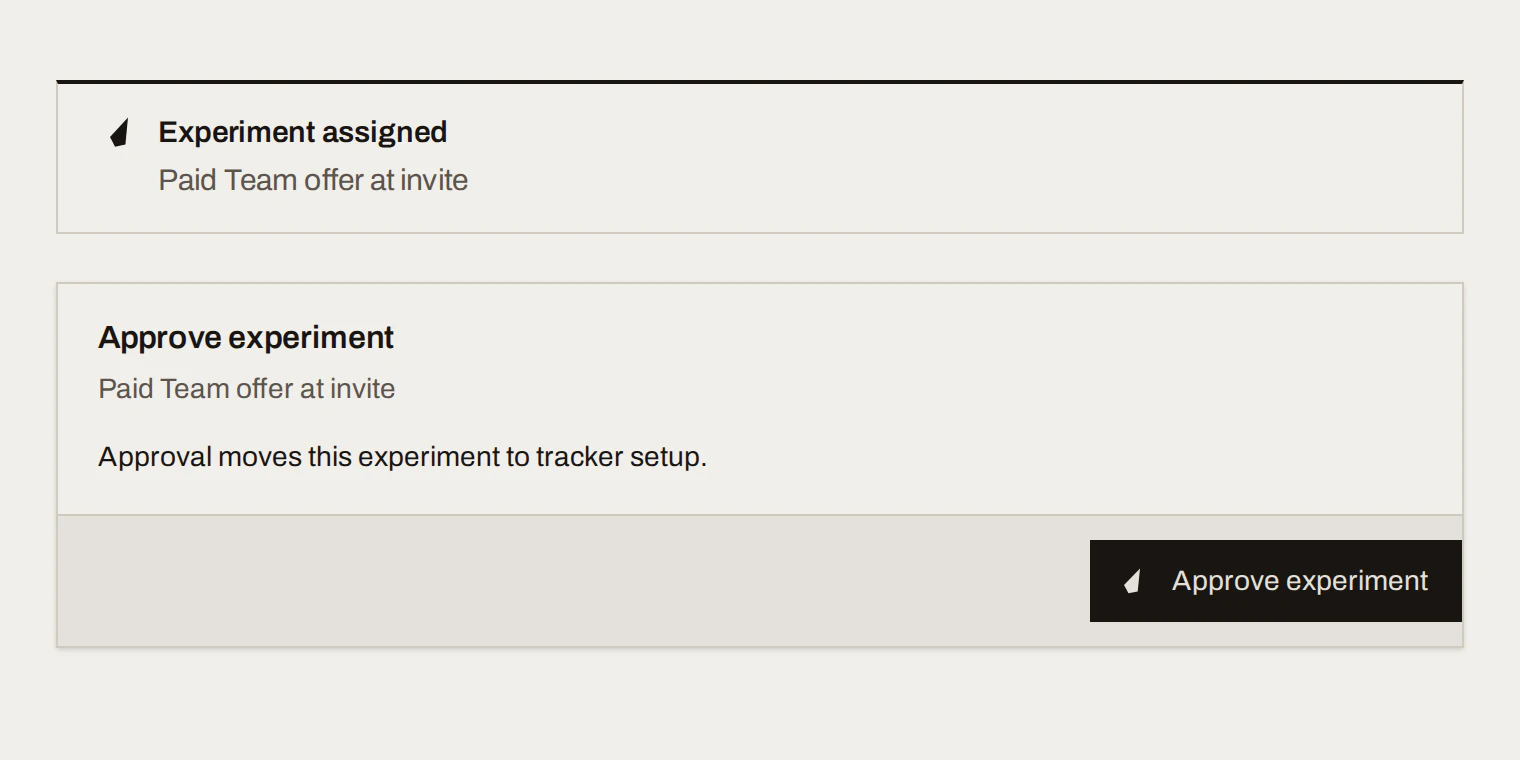
Sample data Assign and approve
Give the experiment an owner and, if you like, a due date. Then approve it. Approving commits you to the design and its success criteria; they can't change after this.
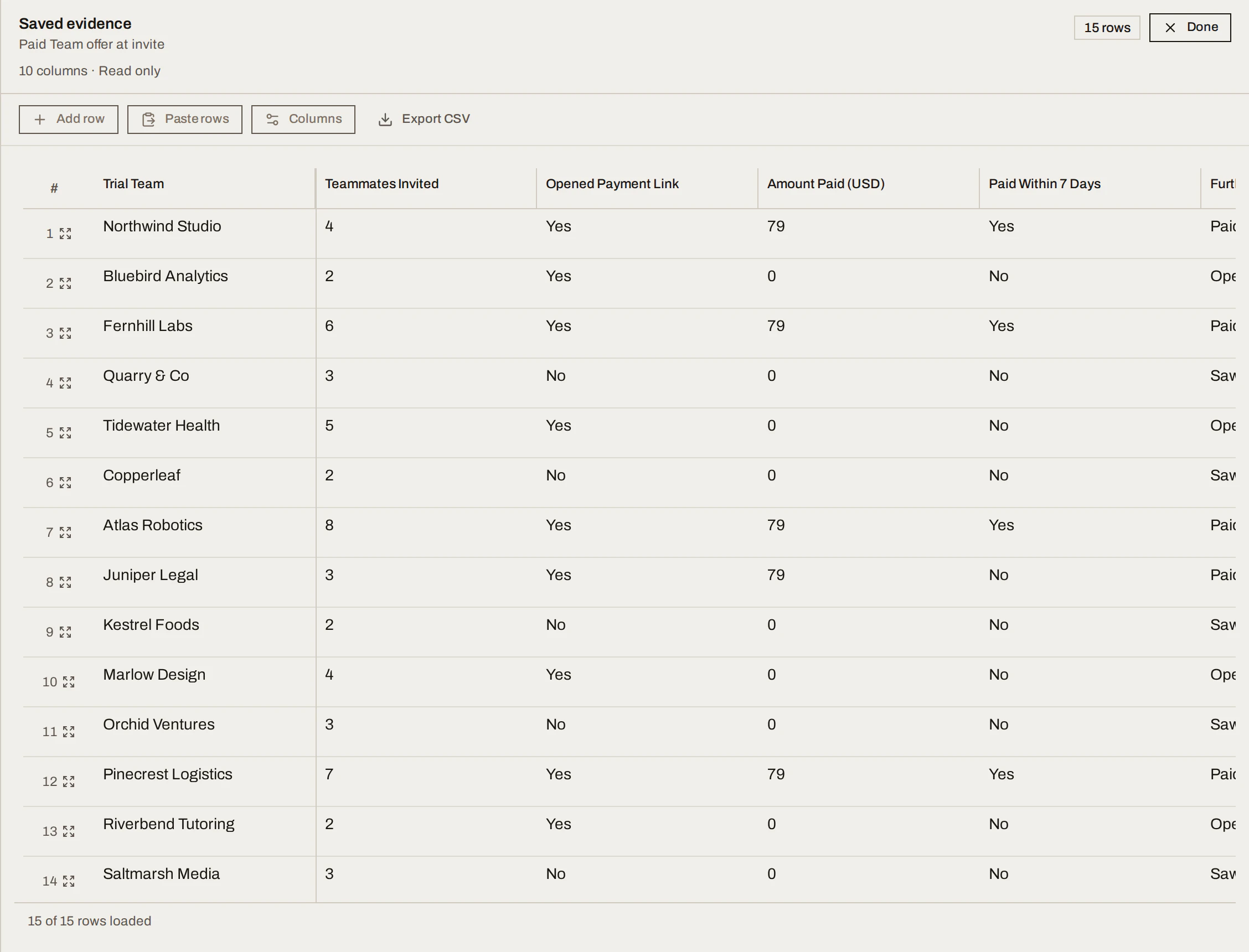
Sample data Run it and log the evidence
Set up the tracker (one row per thing you count), run the experiment in the real world, and log rows as results come in: type them, paste them, import a CSV, or ask your AI tool to add them. When you're done, choose Complete tracker. It saves the rows as a fixed snapshot and completes the experiment.
Sample data Call the result and write what you learned
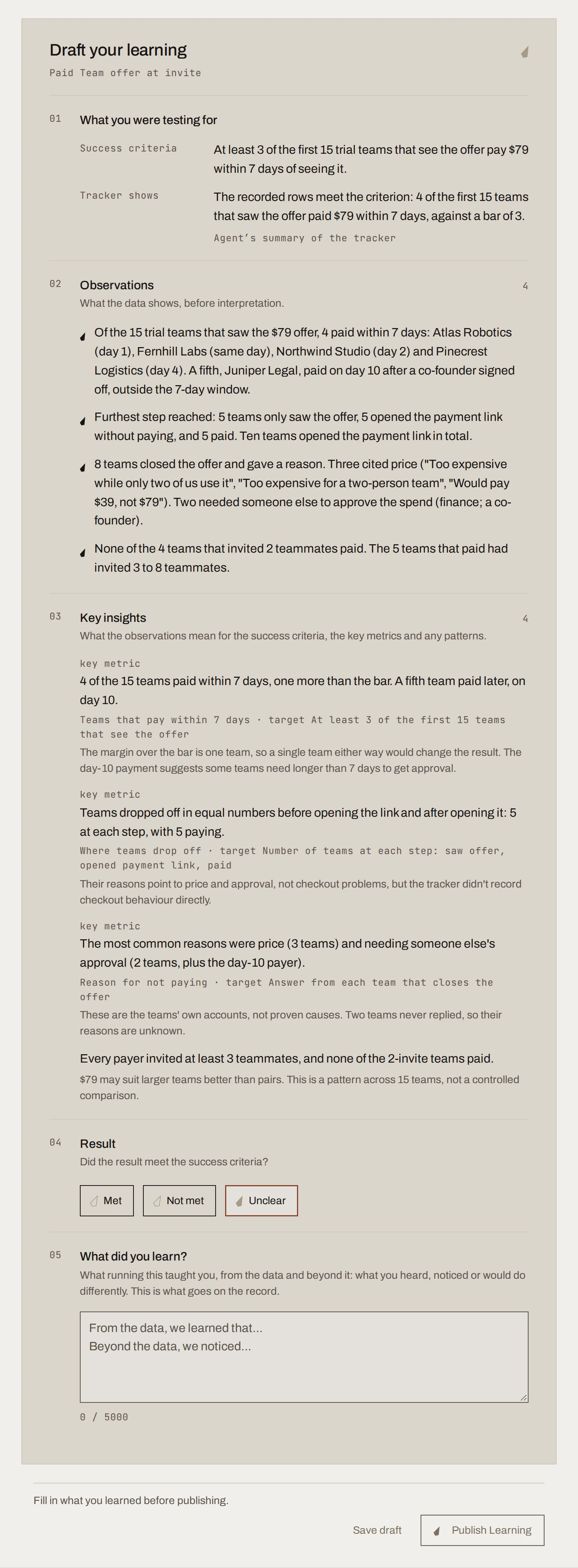
SwiftCNS drafts observations and insights from the snapshot. You decide whether the result Met, did Not met or is Unclear against the success criteria, and write what you learned in your own words. Then Publish Learning.
Sample data Record the Decision
Nothing prompts this step, so ask for it:
Ask in your AI tool Prepare a SwiftCNS decision review for this experiment. Cite the Learning. Don't recommend a choice; I'll decide.
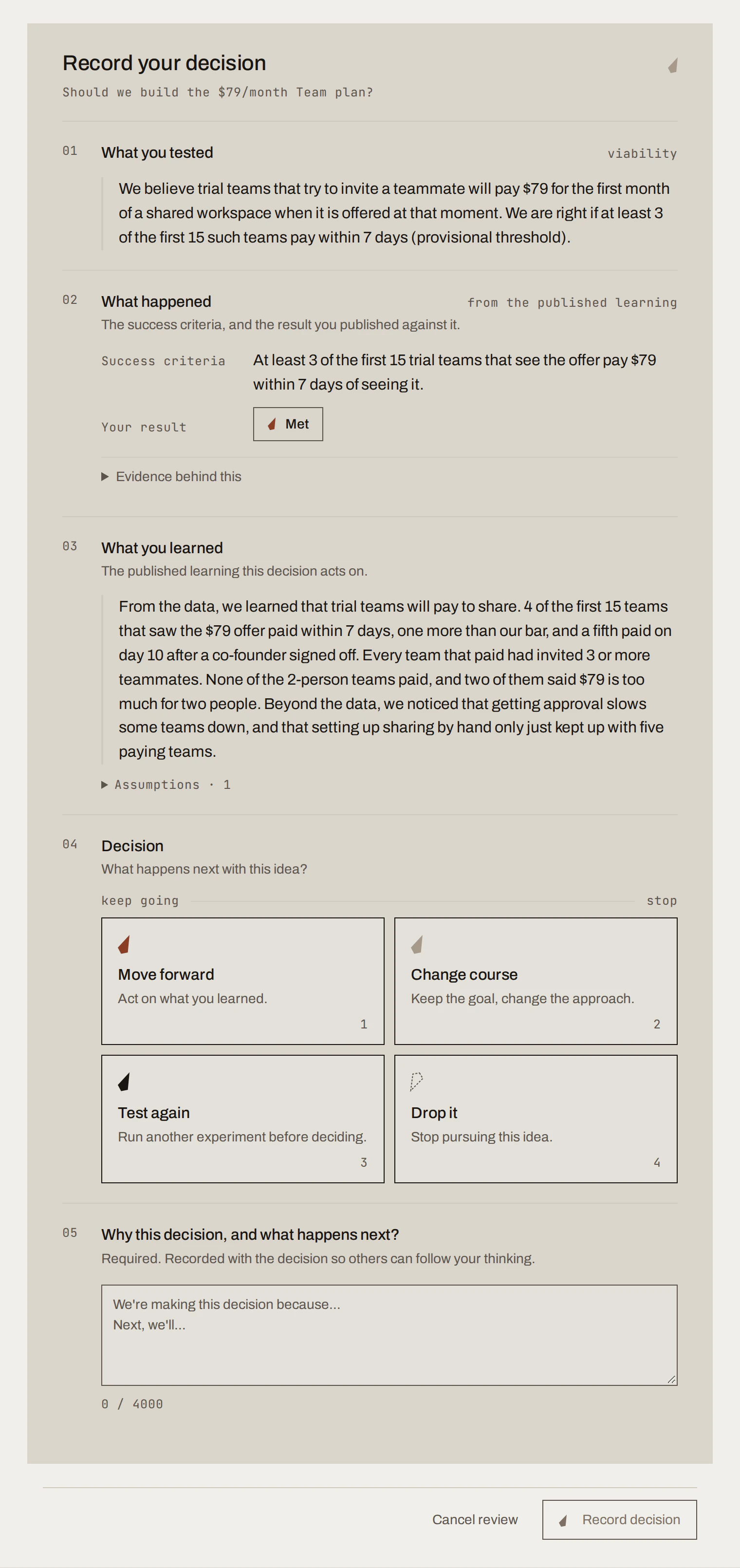
Choose Move forward, Change course, Test again or Drop it, write why and what happens next, then Record decision.
Sample data
What you get
A Decision Record: the question, the assumption, the experiment and its criteria, the evidence, your Learning and your decision, linked together.
Decision Recordsample data
Should we build the $79/month Team plan?
- assumption
Trial teams that try to invite a teammate will pay $79 a month for a shared workspace.
- experiment
Paid Team offer at invite: when a trial team clicks invite, offer the first month of a shared workspace for $79 through a payment link, and set up sharing by hand for teams that pay.
- success criteria · fixed on approval
At least 3 of the first 15 trial teams that see the offer pay $79 within 7 days of seeing it.
- evidence
4 of 15 teams paid within 7 days; a fifth paid on day 10. Every team that paid had invited 3 or more teammates.Met
- learning
Trial teams will pay to share. Teams of three or more are the ones paying; two-person teams said $79 is too much for two people.
Move forward
Build a minimal billing path for the $79 Team plan and keep setting up sharing by hand until it's automated. Track whether paying teams renew after the first month, and test a lower price for two-person teams separately.
Recorded by the experiment owner · sample data
SwiftCNS's part took about 20 minutes; the experiment itself takes as long as it takes.
Done when
- The experiment shows under Decided on the project's Experiments board.
- Your Learning is under Learnings, and your decision under Decisions.
Common mistakes
- Stopping at the Learning. A published Learning doesn't record a decision. Ask for the decision review.
- Letting your AI tool call the result. The result and the decision are yours. Your tool should only do them if you explicitly tell it to.
For agents: MCP tools and gotchas
- Setup:
generate_resource_id(PROJECT),create_project,generate_resource_id(CONVERSATION),create_conversation(atitleis required, such as the question). Every write takes a stablerequestKey; reuse it only to retry identical input. - After each
send_messageor continuation, pollget_messageuntilexecution.statusisSUCCEEDED(the messagestatusmay readrequires-actionwhen a card is waiting), then reloadget_conversation_progress. - Flow:
send_message→select_assumptions→select_hypothesis→select_experiment→assign_experiment→approve_experiment→configure_data_tracker→add_data_tracker_rows→complete_experiment(withcontinueConversation: true) →update_learning_draft→publish_learning→prepare_decision_review→submit_decision. - Each step's step-by-step detail is in the method.
Next
The method: why each step works, and how to do it well.