The method
3. Run the smallest experiment
Collect the evidence in one tracker while the experiment runs, then complete it so the result can't be quietly changed.
Before you start
- An approved experiment with fixed success criteria (step 2).
- A way to reach the people or data the experiment needs, and a source for the evidence: a payment system, a form, a spreadsheet, interview notes.
Steps
Set up the tracker
Ask in your AI tool Set up the SwiftCNS data tracker for this experiment: one row per [thing you count], with columns that let us check the success criteria directly. Show me the columns before you create it.
The card Set up data tracker proposes the columns. Review them, then choose Create tracker.
Decide first what one row is: one team, one customer, one interview. Then make sure the success criterion can be counted straight from the columns.
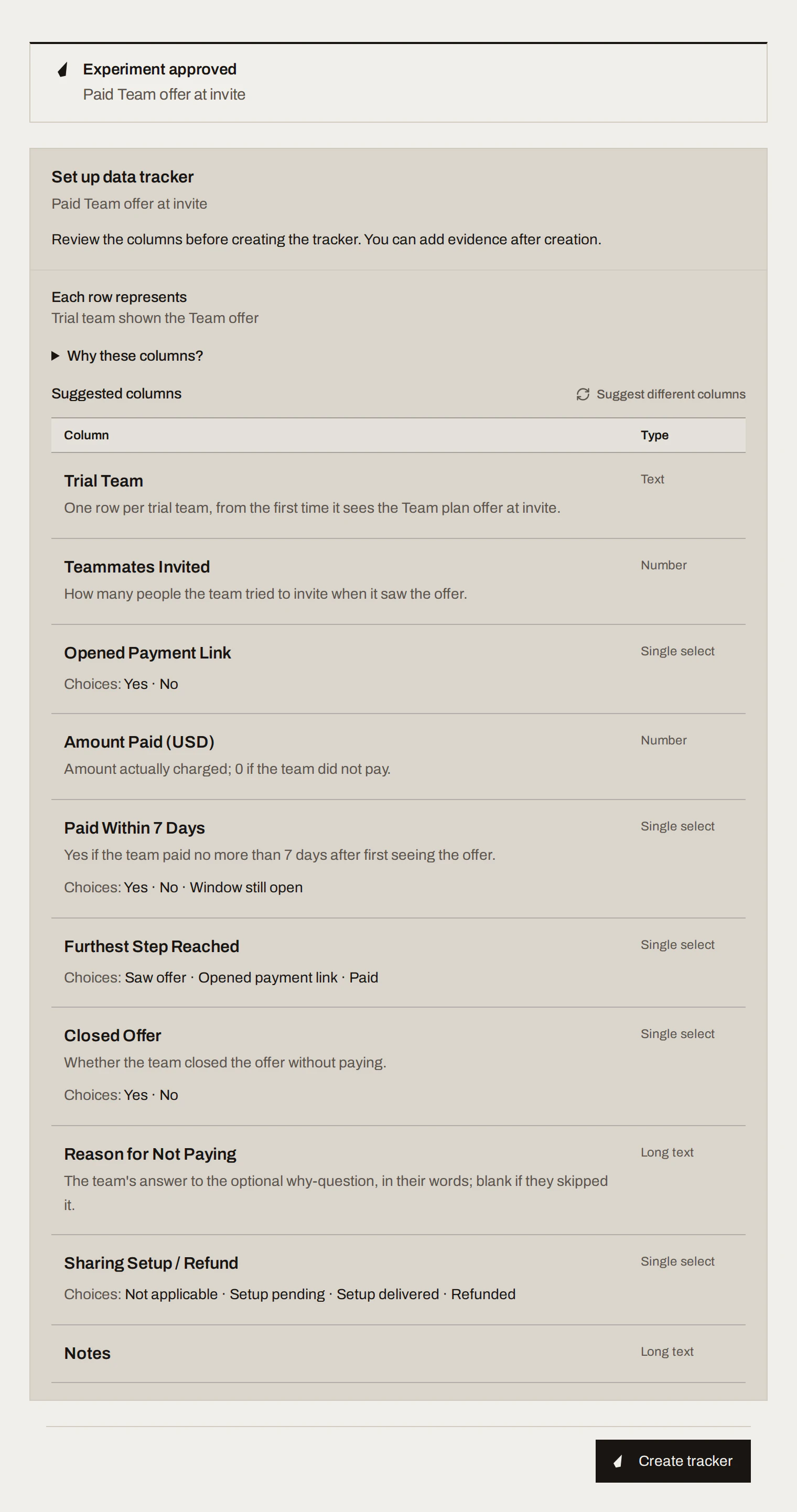
Sample data Run it and log evidence as it comes in
Run the experiment in the real world. Log rows as they happen: Add row, Paste rows, Import CSV file, or ask your AI tool to add them. Keep the people who never answered as rows too.
Complete the tracker
When the sample is in or the time is up, choose Complete tracker. It saves the rows as a fixed snapshot and completes the experiment. Rows can't be added or edited after this.
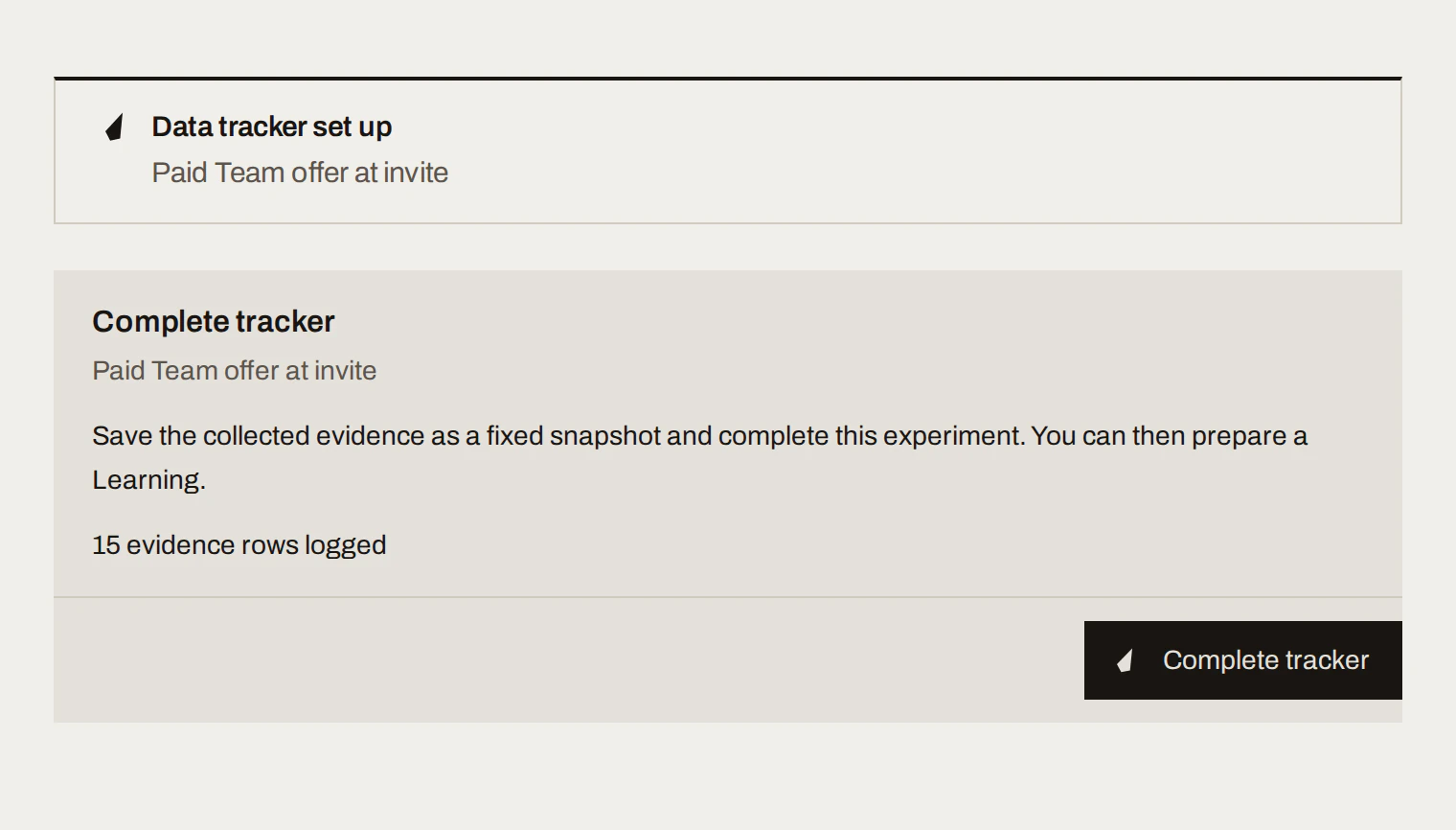
What you get
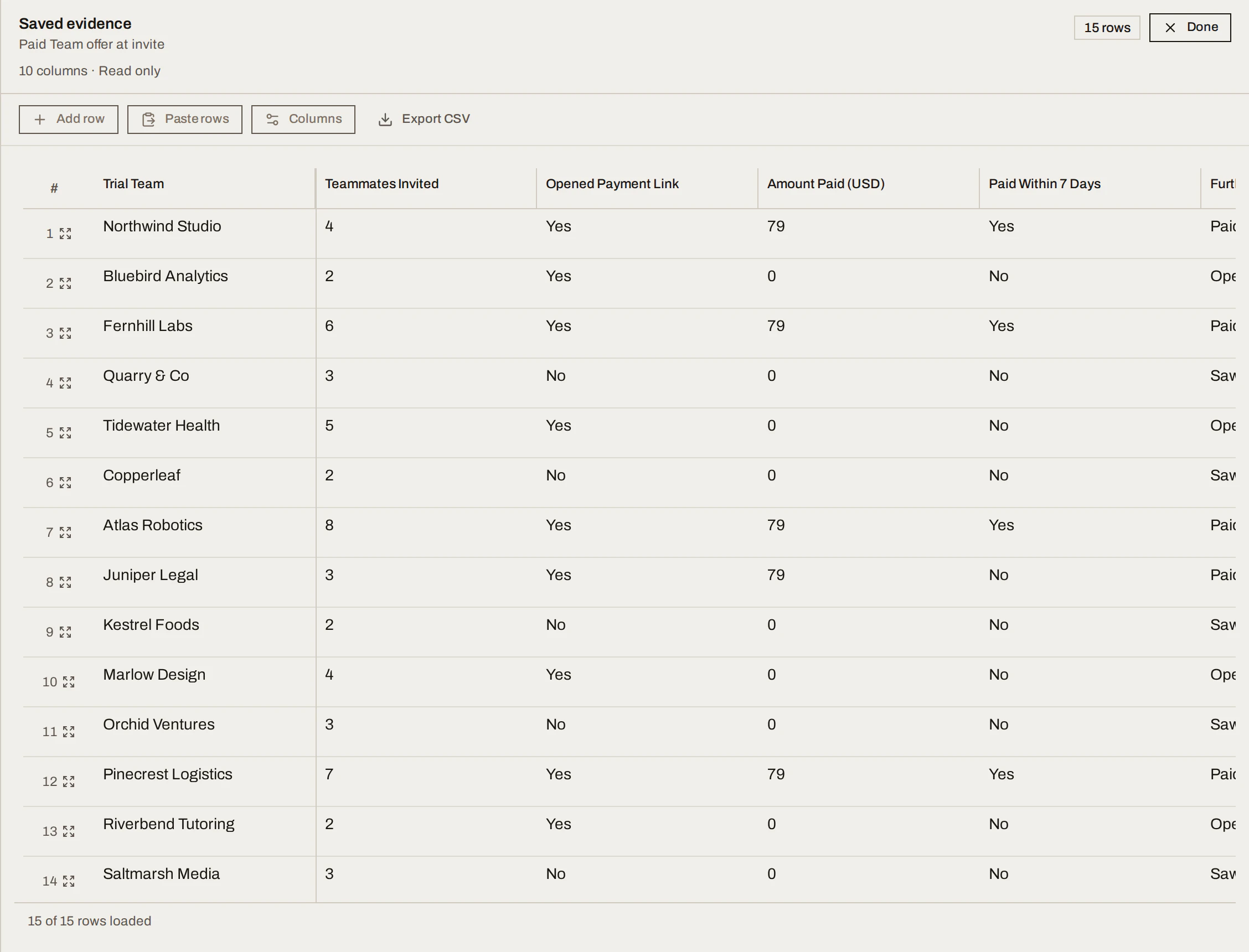
The running example tracked one row per trial team that saw the offer, with columns for teammates invited, whether the team opened the payment link, the amount paid, whether it paid within 7 days, the furthest step reached, and the reason for not paying.
15 rows: 4 teams paid within 7 days, a fifth paid on day 10, 5 opened the link without paying, and 5 only saw the offer.
Done when
- Every row maps to one unit of the success criterion.
- Non-responses and late results are recorded, not dropped.
- The tracker is completed.
Common mistakes
- Columns that don't match the criterion. If you can't count the result from the tracker, you'll argue about it later.
- Dropping the awkward rows. Non-replies and late payers are evidence too.
- Logging rows you didn't observe. SwiftCNS counts what's in the tracker. It may point out evidence that looks backfilled, but it can't tell sample rows from real ones.
For agents: MCP tools and gotchas
setup_trackerviaconfigure_data_trackerwithcolumns(id,header,type: text, longText, number, date, select, multiSelect, url, attachment;optionsfor selects). The request carries no proposed columns over MCP.- Rows:
add_data_tracker_rowswith arequestKey; keys are column ids, dates asYYYY-MM-DD, select values as the option label. CSV: upload withbegin_document_upload/complete_document_upload, thenpreview_data_tracker_importandimport_data_tracker_rows. - Once rows exist the active request is
mark_complete(it appears inactiveActionRequests, not inpermittedTransitionIds); submitcomplete_experimentwithcontinueConversation: trueto start drafting the Learning (no separate tool).