The method
4. Decide, and record why
Call the result against the success criteria, write what you learned, and record the decision so the next one starts from it.
Before you start
- A completed tracker (step 3).
- The decision-maker, ready to make two calls: the result, and what happens next.
Steps
Read the evidence
After Complete tracker, SwiftCNS drafts a Learning: factual observations from the rows, insights tied to each key metric, and its own assessment. Read them against the success criteria. They inform your call; they don't make it. Some insights may say what they think the evidence justifies; make your own call first.
Call the result and write what you learned
Ask in your AI tool Show me the SwiftCNS Learning draft's observations. Set the result to [Met / Not met / Unclear] and the narrative to: "[what you learned]". Then publish it.
In the Learning card, choose Met, Not met or Unclear under Result, write What did you learn?, then Publish Learning.
Write what the data taught you and what you noticed beyond it. Unclear is a valid result. A published Learning can't be edited.
Record the decision
Ask in your AI tool Prepare a SwiftCNS decision review for: [the question]? Cite the Learning. Don't recommend a choice; I'll decide.
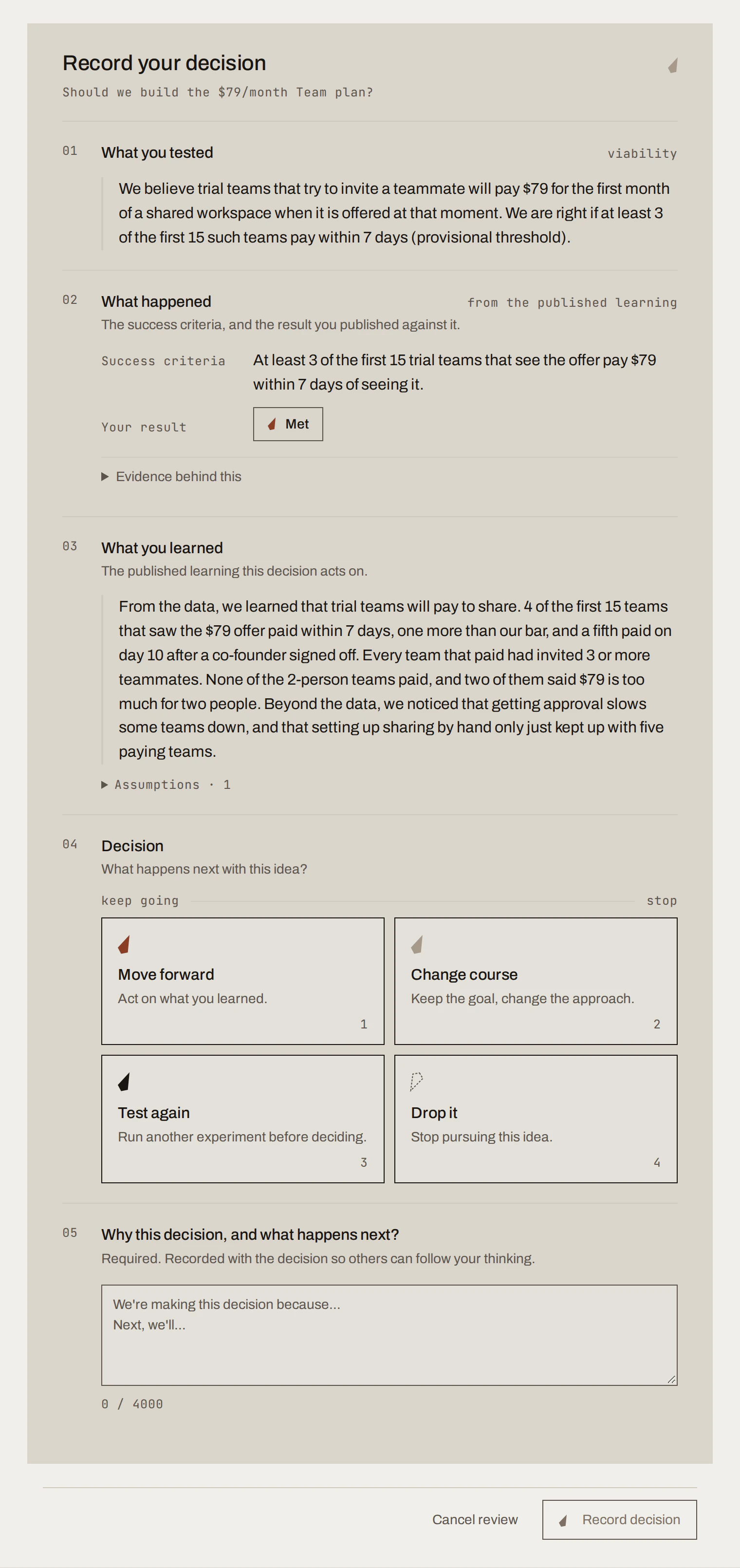
Choose Move forward (act on what you learned), Change course (keep the goal, change the approach), Test again (run another experiment first) or Drop it. Write why, and what happens next. Then Record decision.
What you get
In the running example the team called the result Met (4 of 15 paid, against success criteria of 3) and wrote that teams of three or more were the ones paying. Then they chose Move forward: build a minimal billing path, keep setting up sharing by hand, track renewals, and test a lower price for two-person teams separately.
Decision Recordsample data
Should we build the $79/month Team plan?
- assumption
Trial teams that try to invite a teammate will pay $79 a month for a shared workspace.
- experiment
Paid Team offer at invite: when a trial team clicks invite, offer the first month of a shared workspace for $79 through a payment link, and set up sharing by hand for teams that pay.
- success criteria · fixed on approval
At least 3 of the first 15 trial teams that see the offer pay $79 within 7 days of seeing it.
- evidence
4 of 15 teams paid within 7 days; a fifth paid on day 10. Every team that paid had invited 3 or more teammates.Met
- learning
Trial teams will pay to share. Teams of three or more are the ones paying; two-person teams said $79 is too much for two people.
Move forward
Build a minimal billing path for the $79 Team plan and keep setting up sharing by hand until it's automated. Track whether paying teams renew after the first month, and test a lower price for two-person teams separately.
Recorded by the experiment owner · sample data
Done when
- The Learning is published with a result and your own words.
- The decision is recorded with its reasons and appears under Decisions.
Common mistakes
- Reading the result against new criteria. Compare to the approved criteria first, then discuss.
- Treating Not met as failure. It tells you where not to spend the next quarter.
- Stopping at the Learning. Nothing prompts the decision; without one, the next person doesn't know what you did about it.
- Letting someone else's take decide. Make your call, then compare.
For agents: MCP tools and gotchas
- After
complete_experimentwithcontinueConversation: true, SwiftCNS prepares the draft and alearning_cardrequest appears;publish_learningsubmits it.get_learningreturnsversionandresultAgentSummary(SwiftCNS's assessment). Don't show the assessment to the user before they call the result. update_learning_draft: JSON Patch, first{"op":"test","path":"/version"}, then replace/result(MET,NOT_MET,UNCLEAR) and/narrative. Set only what the user said.publish_learningwithconfirmed: trueneeds a non-blank narrative.- Then
prepare_decision_review(question,referencessuch as{type:"learning", id}; leaverecommendationout) andsubmit_decisionwith{operation:"record", choice, rationale}.choice:MOVE_FORWARD,CHANGE_COURSE,TEST_AGAIN,DROP_IT. UsesupersedesDecisionIdto replace a decision.
Next
Best practices for testing ideas well.