Use the app
Track experiments
See every experiment in a project on a board or a list, keep owners and due dates current, and log evidence in the tracker.
Before you start
- At least one selected experiment (step 2 of the method).
Steps
Open the Experiments board
In a project, choose Experiments. The board groups experiments by where they stand: designing, collecting evidence, learning and decided. Switch to list for a compact view. Filter by all or assigned to me, or search.
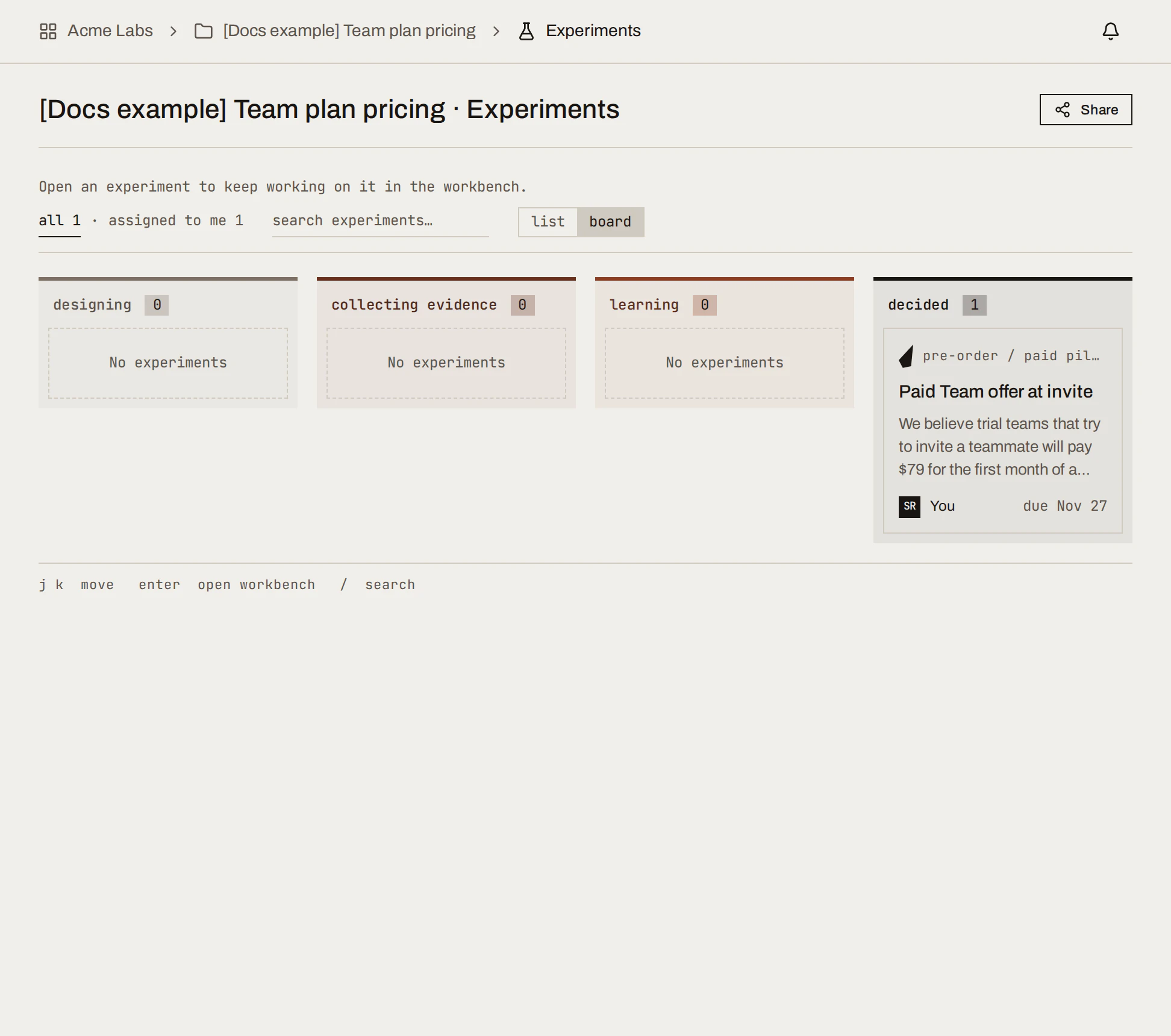
Sample data Each card shows the experiment type, its hypothesis, owner and due date. Open one to go to its workbench.
Keep owner and due date current
Owner and due date are set when you assign the experiment, and shown in the workbench's Now tab. The owner must be an editor on the project. Overdue experiments show on Project home under Needs attention.
Log evidence in the tracker
Open the experiment's workbench, then Data tracker → Open tracker. In Log evidence:
- Add row to type one result.
- Paste rows from a spreadsheet.
- Import CSV file for a batch; map its headers to the tracker's columns.
- Columns to review the structure; Export CSV to take the data out.
Or ask your AI tool: "Add these results to the SwiftCNS tracker: [rows]".
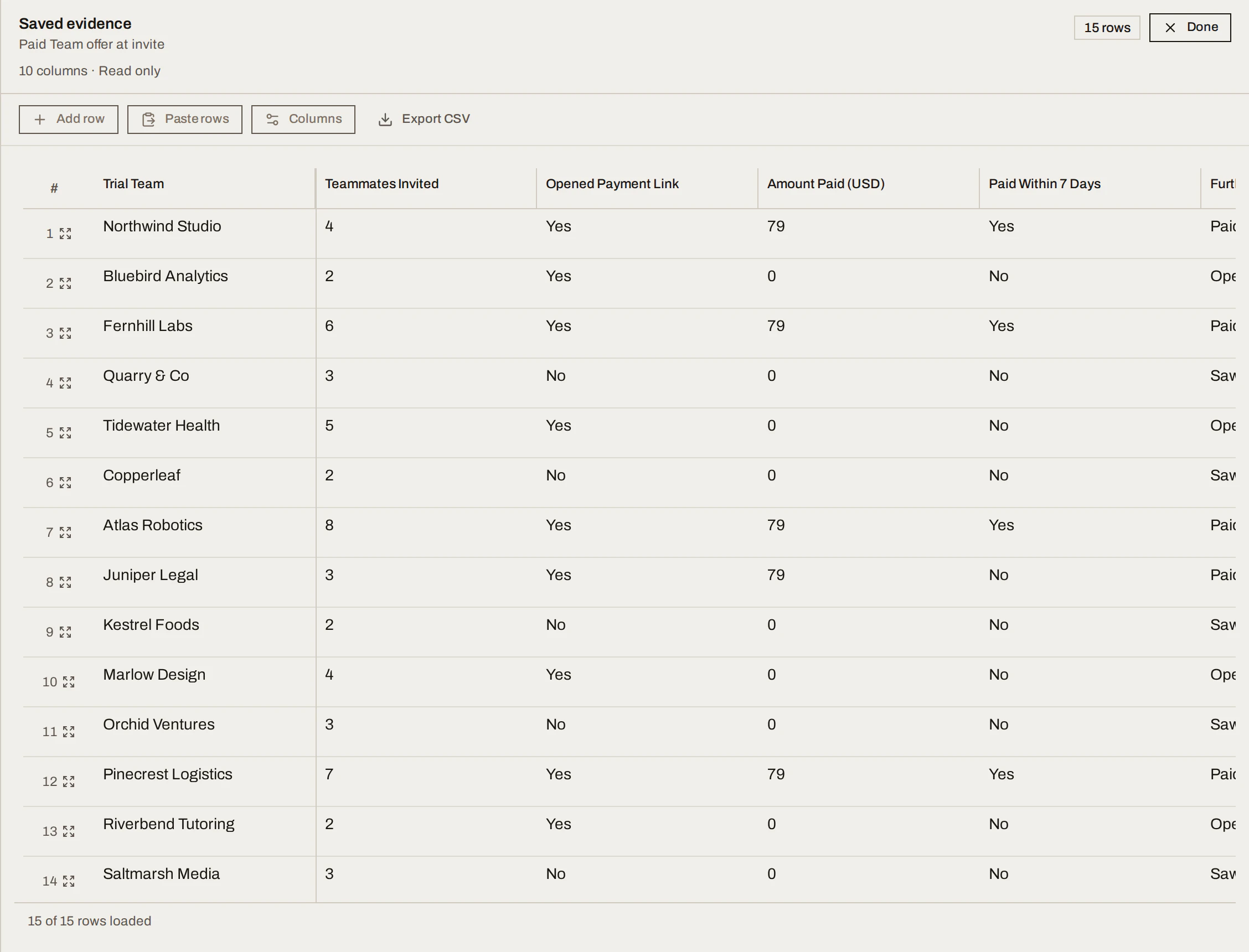
Sample data Complete the tracker
When the sample is in or time is up, choose Complete tracker on the card or in Now. It saves a fixed snapshot of the rows and moves the experiment to learning. You can still open the tracker to read it.
What you get
A live picture of what your team is testing, who owns each test and what's late, with evidence for each kept in one place. In the running example, "Paid Team offer at invite" sits under decided, owned by the person who ran it.
Done when
- Every running experiment has an owner and a due date.
- Evidence goes into the tracker as it arrives, not at the end.
Common mistakes
- Collecting in a side spreadsheet and importing at the end. You lose the timeline of when evidence arrived.
- Completing early to "see what it says". Completing is final; finish the sample first.
For agents: MCP tools and gotchas
list_experiments,get_experiment(status, owner,dueAt, metrics).get_data_tracker,list_data_tracker_rows,add_data_tracker_rows,update_data_tracker_row; CSV viapreview_data_tracker_importthenimport_data_tracker_rows.complete_experimentsubmits themark_completerequest.