Use the app
Learnings and Decisions
Write and publish a Learning, record a Decision, and find both again later in the project's registers.
Before you start
- A completed tracker, for a Learning (step 3).
- A question to settle, for a Decision. A Decision can also stand alone, without a Learning.
Steps
Write the Learning
After Complete tracker, the workbench shows the Learning draft: observations and insights SwiftCNS drafted from the evidence, then two parts that are yours:
- Result: did the result meet the success criteria? Met, Not met or Unclear.
- What did you learn?: what running this taught you, from the data and beyond it (up to 5,000 characters).
Choose Save draft to come back later, or Publish Learning. Publishing puts it on the record; it can't be edited afterwards.
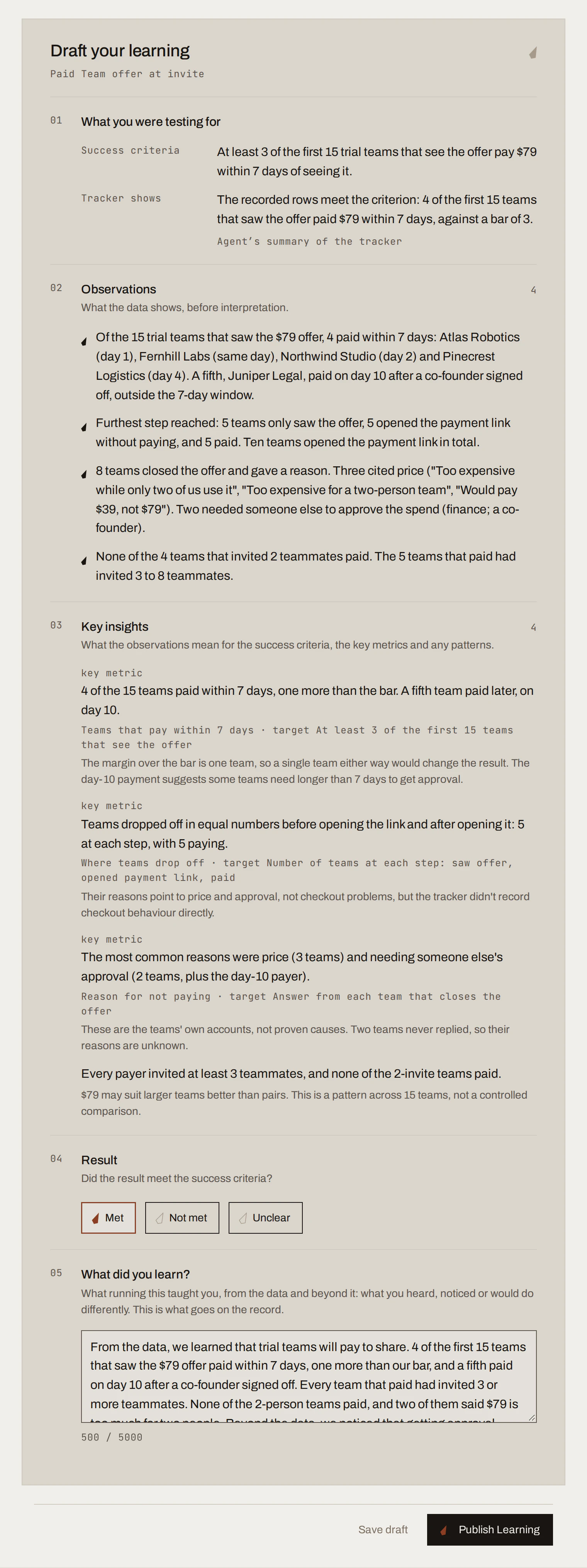
Sample data Record a Decision
Ask your AI tool to prepare a decision review, or start one from the conversation. The form shows What you tested, What happened and What you learned, then asks you to choose Move forward, Change course, Test again or Drop it, and to write Why this decision, and what happens next? (required). Choose Record decision, or Cancel review.
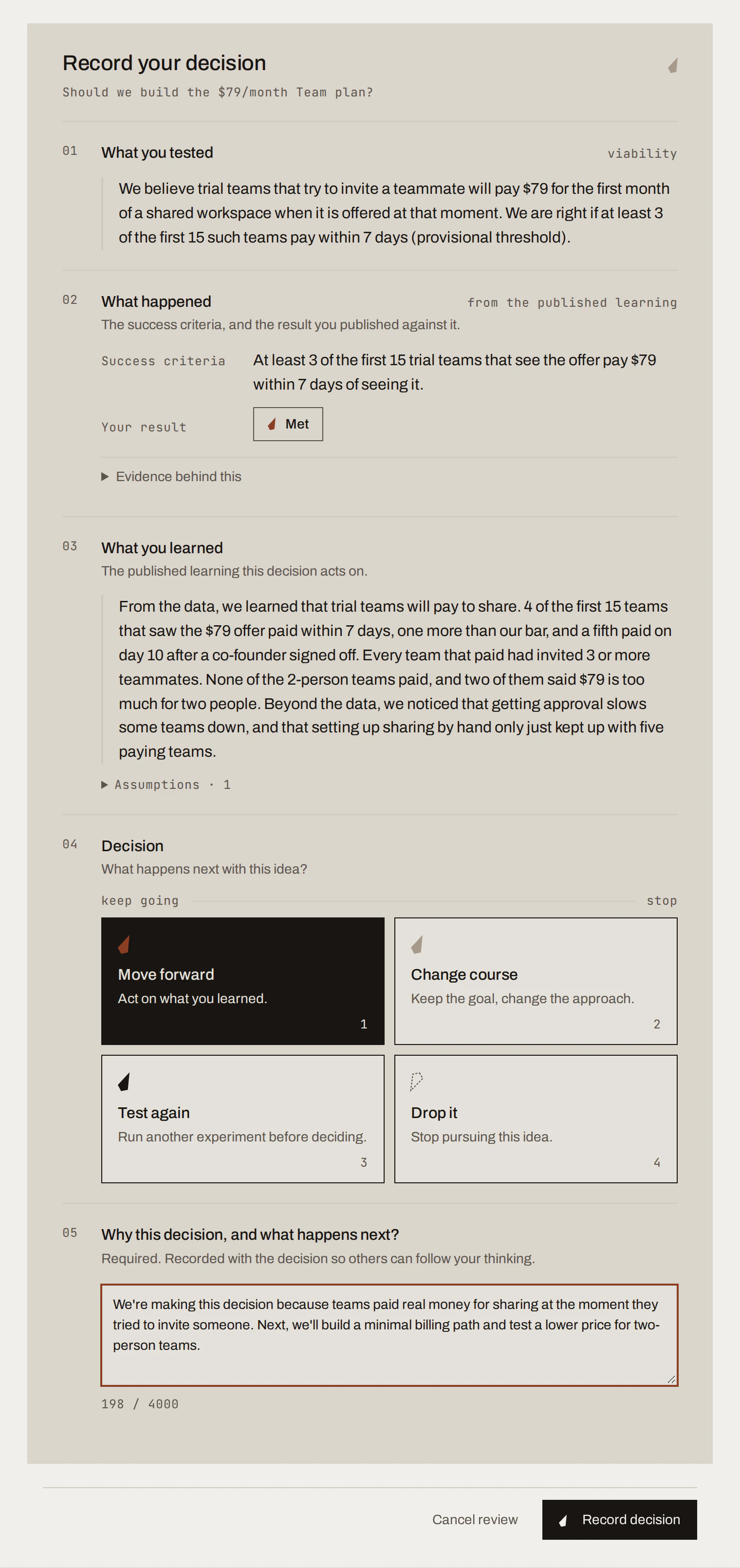
Sample data Find them later
Learnings lists every Learning in the project, filterable by published and draft. Decisions lists recorded decisions, filterable by choice and grouped by day or by experiment, with the Learning results they cite. Choose a row to open it in its workbench, in Lineage.
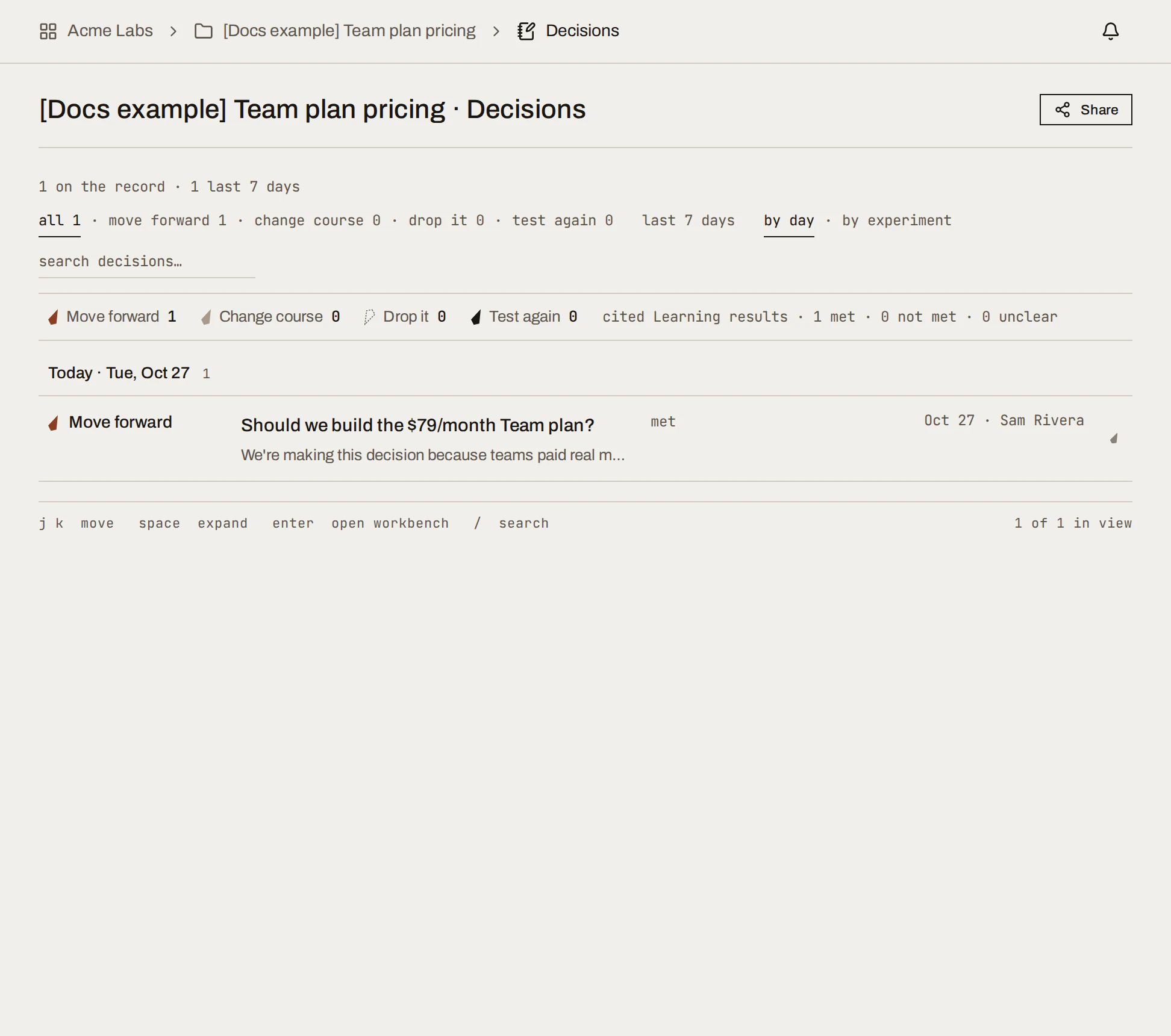
Sample data Replace a Decision
Recorded decisions can't be edited. If things change, ask your AI tool to prepare a new decision review that replaces the earlier one. The old one stays on the record, marked as replaced.
What you get
A record anyone in the workspace can read: what you believed, what you tested, what happened, what you concluded and what you chose. In the running example, Learnings shows one published Learning (Met) and Decisions one Move forward.
Done when
- Each completed experiment has a published Learning.
- Each question you settled has a recorded Decision with reasons.
Common mistakes
- Copying the drafted insights as your Learning. Write what you concluded; the insights are input.
- Recording "Move forward" with no next step. Say what happens next and how you'll know.
For agents: MCP tools and gotchas
list_learnings,get_learning,update_learning_draft,publish_learning.list_decisions(filter byconversationId,experimentId,learningId,statusCURRENT or SUPERSEDED),get_decision,prepare_decision_review,submit_decision. Replace withsupersedesDecisionId.
Next
Track experiments
See every experiment in a project on a board or a list, keep owners and due dates current, and log evidence in the tracker.
Documents and plugins
Bring the evidence you already keep into SwiftCNS by uploading files or importing from Google Drive, GitLab, Jira and Confluence, then use it in a conversation.