Use the app
The workbench
The screen where a question moves from idea to decision. The thread on the left, the current step and the record on the right.
Before you start
- A conversation in a project. Start one from Project home, New conversation, or by asking your AI tool.
Steps
Work in the thread
The thread shows SwiftCNS's replies and action cards: choices to make, such as Select assumptions, Select an experiment, Assign experiment or Complete tracker. Act on a card in the app, or tell your AI tool what you chose. Either way, the card turns into a receipt (for example Experiment approved) with a timestamp.
Use the box at the bottom to ask a question or describe a change. Quick actions offers the step that's ready now.
Check the Now tab
The right-hand panel opens on Now: the stage, owner and due date, the one step that's waiting (for example "Approve the experiment"), and what it's about: hypothesis, success criteria, key metrics. After the decision, Now shows the recorded Decision.
Open the Data tracker tab
Once a tracker exists, Data tracker previews its rows. Open tracker opens the full grid to add, paste or import rows. A completed tracker opens read-only.
Follow the Lineage
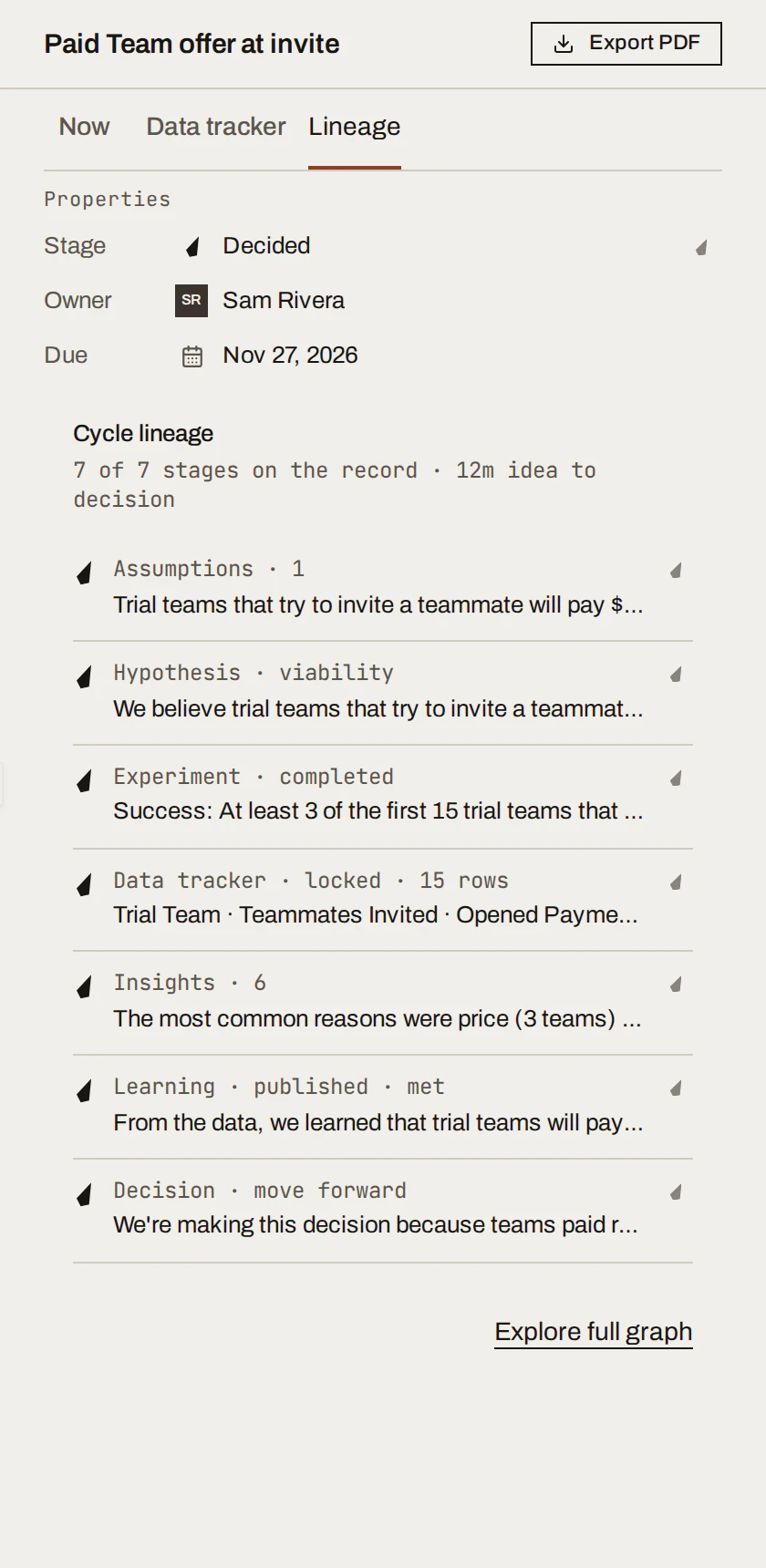
Lineage lists everything on the record for this question, in order: assumptions, hypothesis, experiment, data tracker, insights, Learning and Decision. Choose any entry to read it; Explore full graph shows how they connect.
What you get
One screen per question with the conversation, the next step and the full record together. Changes your AI tool makes over MCP appear here live; keep it open beside your tool.
Done when
- You can tell from Now what the next step is and who owns it.
- You can trace a Decision back to its assumption in Lineage.
Common mistakes
- Hunting for the next step in the thread. Now always shows it.
- Editing in two places at once. If your AI tool is acting on a card, let it finish before clicking the same card.
For agents: MCP tools and gotchas
get_conversation_progressmirrors Now:currentStage,activeActionRequests,actionOperations(tool to call, required scopes),browserUrl.- A card a tool can't complete has
browserRequired: true; send the user tobrowserUrl.